How Marketli Works

    The Market No One Had Access To. Until Now.

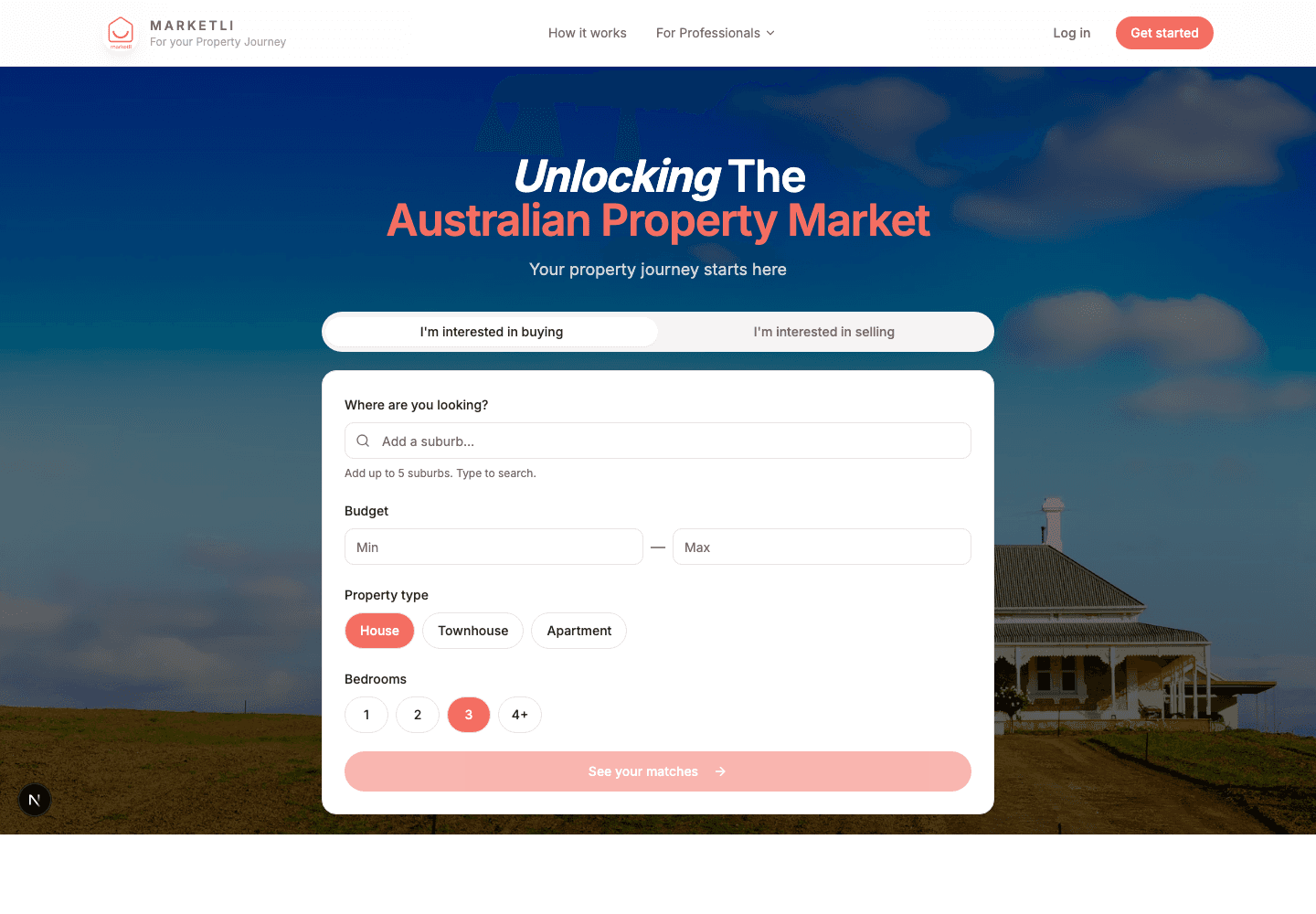
    Across Australia, there's a property market that doesn't show up on the portals. Deeper than just “off-market”, this is where supply and demand for Australian properties starts.

    See the steps
    Marketli platform overview — buyer briefs and properties matching in real time.

    The Invisible Market

    Across Australia, there's a property market that doesn't show up on portals.

    It lives in the spreadsheets and CRMs of real estate agents who've given an appraisal but never listed. It lives in the minds of owners who've had a frank conversation with their broker about the impossibility of securing a new home before selling what they've got. It lives between partners, neighbours and families wanting to upgrade or downsize.

    These are the homes that don’t get listed, owned by people who would sell, but only if the right conditions presented themselves:

    • The family that needs to upgrade, but can't risk being left without a home.
    • The downsizer who can't buy the townhouse before they sell the 4 bedder.
    • The owner who doesn’t want a sign on their lawn, photos online, or open homes that announce the move to friends, family, and neighbours.
    • The upgrader unable to secure bridging finance, but losing offers with their "subject to sale" clause.

    Some of these properties may be for "off-market" sale through their agents — the problem is that those agents don’t have access to every buyer who might be interested.

    But many don't even reach that stage. A willing owner who believes they can't sell.

    This is the "invisible market", and it’s a structural block on Australian property, keeping thousands of owners whose property no longer suits them trapped and unable to sell to the owners who’d love the chance to buy it.

    How Marketli unlocks it

    How Marketli unlocks it

    Marketli is the place the property journey starts: for buyers, for sellers, and for the professional teams who guide them.

    Instead of asking sellers to commit to a public campaign and the risks it brings, Marketli works the other way around. Sellers introduce their property to a network of qualified buyers. Buyers introduce their brief to a network of properties that aren’t on the open market yet. When the right match exists, Marketli connects the two parties and runs everything that comes next inside the platform.

    Match first. List second, or never.
    The Marketli order

    The process

    How it works

    Seven steps. One platform. From the first quiet conversation to settlement day.

    01

    Bringing the market together

    Properties enter the platform.

    Selling agents, buyer's agents and homeowners add properties that would sell under the right conditions but aren't ready for a public campaign. These can be active pre-listing appraisals, quiet conversations with vendors, or homes an agent knows the owner would consider parting with for the right buyer.
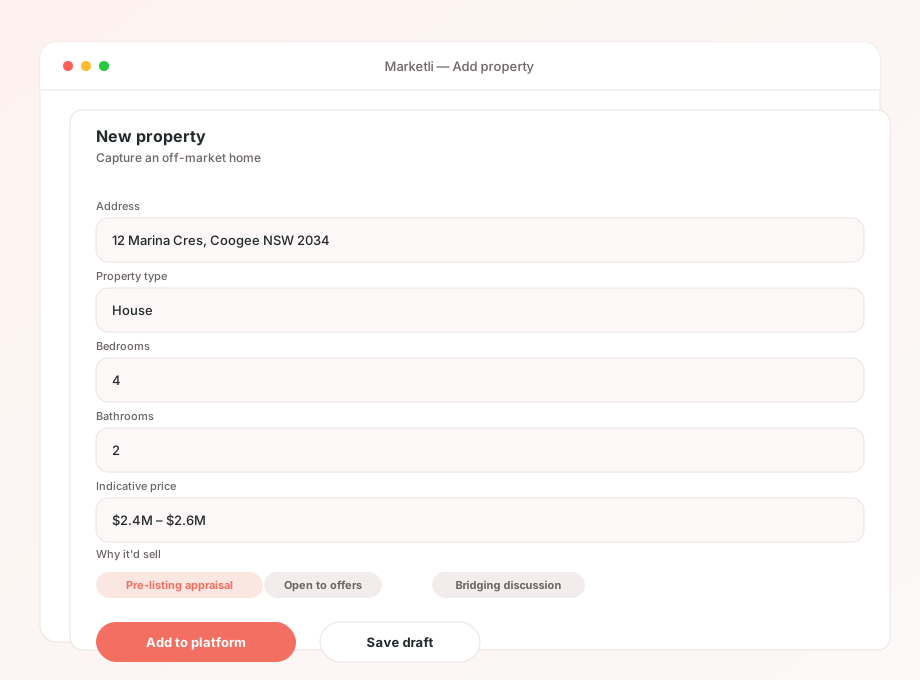
    Adding a property to Marketli — capture the address, condition and any details the vendor is willing to share.

    Buyer briefs enter the platform.

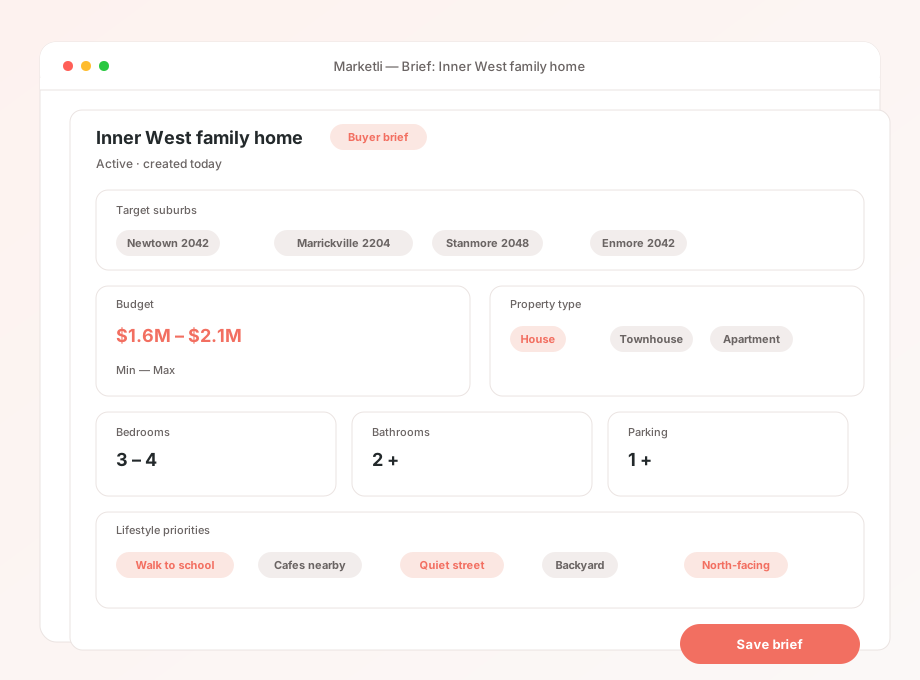
    Buyers, and the clients of brokers and buyer's agents, submit a brief: suburb, bedrooms, bathrooms, price range, and the things that matter. Brokers add the briefs of clients who are loan-ready and waiting for the right property. Buyer's agents add the briefs they've built for active clients.

    A buyer brief in Marketli — suburbs, budget, bedrooms, bathrooms, lifestyle priorities.

    Marketli matches.

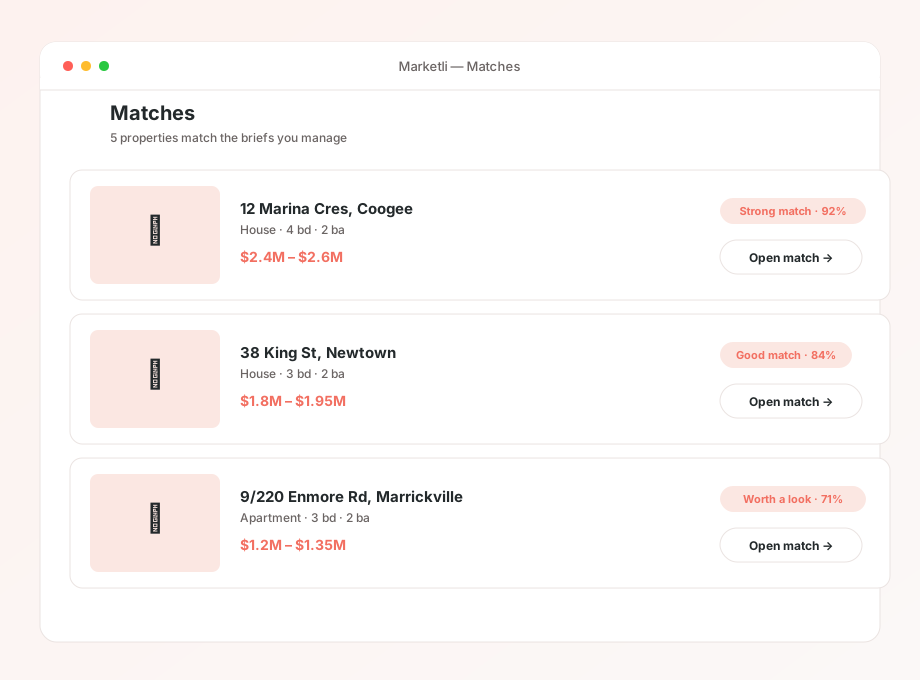
    An AI-assisted matching engine runs continuously across every brief and every property on the platform. When a match is found, Marketli introduces the two parties privately, with the right professional teams already in the room.

    Matches view — the briefs and properties Marketli has paired together for review.
    02

    Connecting everyone to the deal

    The professional team is assembled.

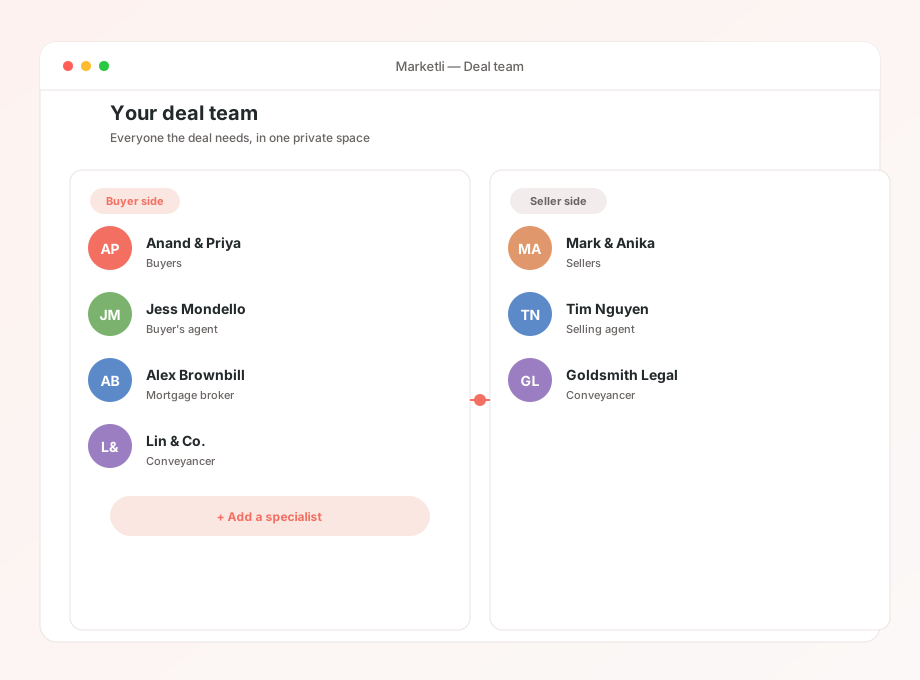
    A property transaction touches more people than buyer and seller. The buyer's broker, the buyer's agent, the selling agent, conveyancers on both sides, and any specialists already attached to either party are pulled into a private deal space the moment a match is introduced. If a side is missing a professional, Marketli can recommend one from the platform's network. By the time the first conversation starts, everyone the deal needs is already in the room.

    A deal team in Marketli — buyer, seller, broker, conveyancers, and agents in one space.

    Property intelligence is shared.

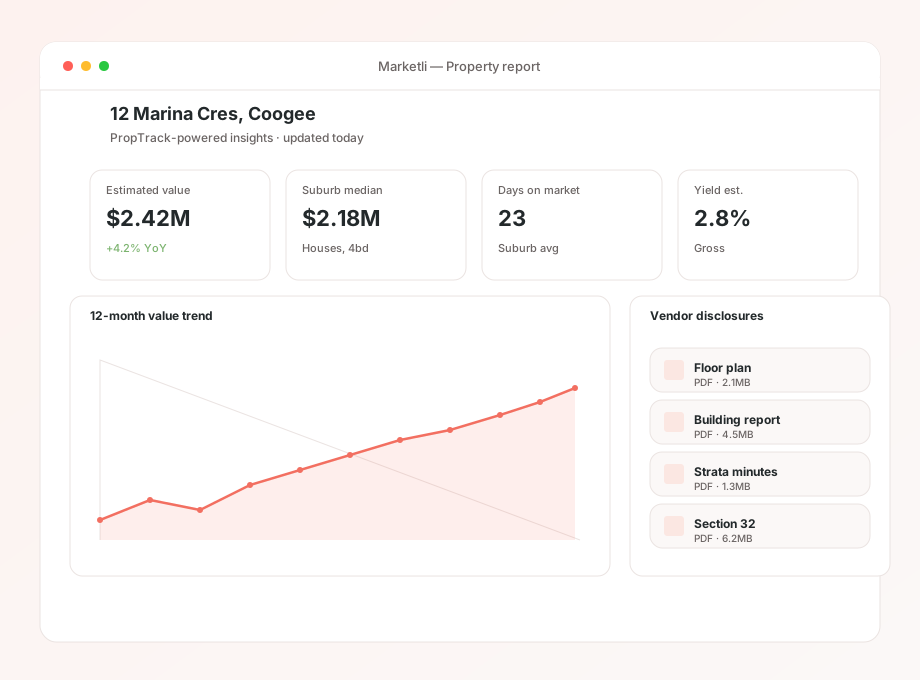
    Both sides walk into the conversation informed. Buyers and their team see PropTrack-powered property reports, recent comparable sales, suburb metrics and any detail the vendor has chosen to release: floorplans, building reports, strata documents, price expectations. Sellers and their team see the buyer's brief, finance position and timeline. The information asymmetries that usually shape a property negotiation are narrowed before the negotiation starts.

    Property intelligence — comparable sales, suburb metrics, floorplans, building reports.

    All communication runs through the deal.

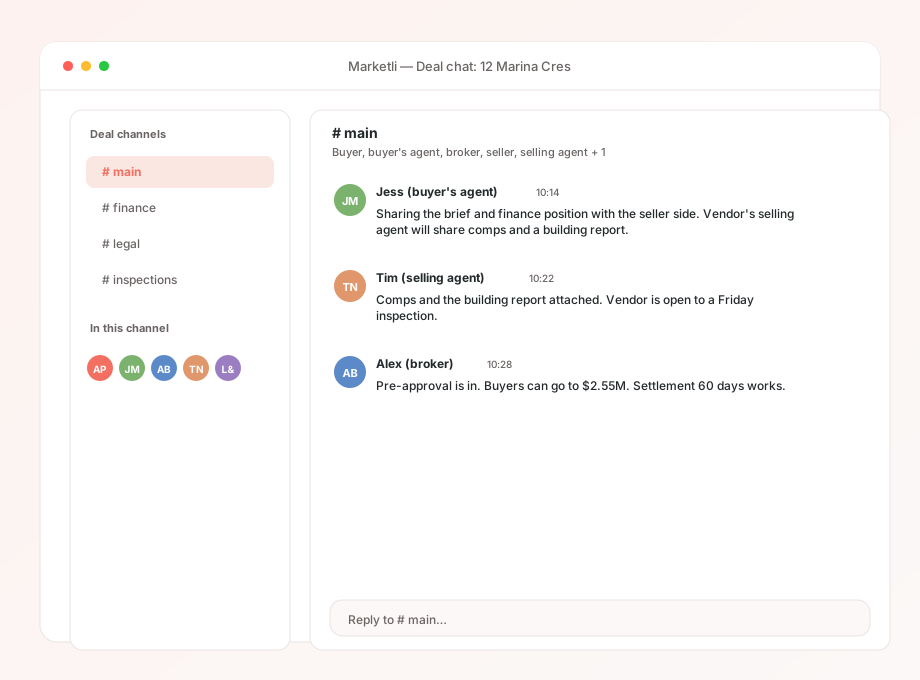
    Chat, video, voice notes, document sharing and scheduling sit inside Marketli. Every conversation about the deal is attributed, timestamped and visible to the right people. Deal context stops scattering across WhatsApp threads, email chains and SMS, and starts collecting in one place. Brokers, agents and conveyancers stop chasing each other for updates, because the update is already in the room.

    Deal chat — chat, video, voice notes and document sharing inside the deal space.
    03

    Becoming the operating system for the transaction

    The transaction lives in Marketli.

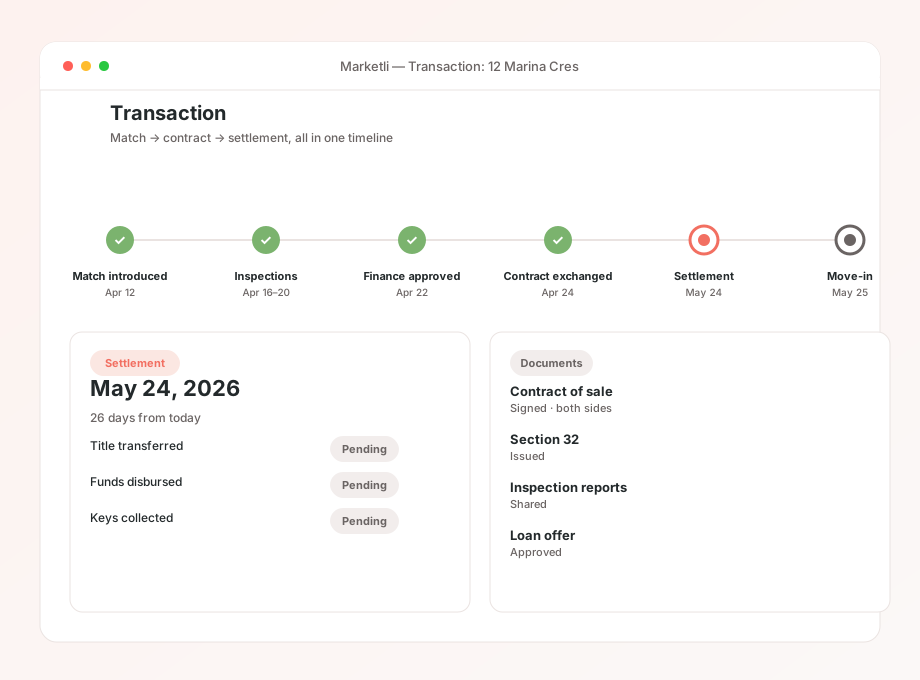
    Once a match progresses, the platform carries the deal forward. Negotiation, document handling, finance coordination, conveyancing, settlement: every party in the transaction works in the same place, on the same timeline, with the same source of truth.

    A transaction inside Marketli — milestones, documents and finance status in one timeline.

    Add a property. Add a brief. See if there’s a match.

    • Add a property
    • Add a brief
    • See if there’s a match